System Basics
Understanding Abora's core systems and how they work together.
What is Abora Built On?
NixOS Foundation
Full NixOS base with all its reproducibility, atomicity, and rollback capabilities.
ANIX v2 Layer
Human-friendly commands for profiles, snapshots, and system management, configurable in ANIX Native, MKO, or ModuCPP.
TinyPM v4
Simplified package management that works with Nix, Flatpak, and other systems.
Abora Installer
Guided terminal installation with desktop choice and app bundles.
System Architecture
Abora structures updates in several layers:
System Generation
Complete system snapshot (NixOS, desktop, services, packages)
ANIX Profile
Named configuration for specific workflows (gaming, developer, etc.)
Local Configuration
Your abora-local.nix with hostname, timezone, desktop
User Dotfiles
~/.config/ with per-application settings
Key System Features
- ✓
Reproducible
Same config = identical system everywhere
- ✓
Atomic Updates
Updates either fully apply or not at all
- ✓
Instant Rollback
Go back to any previous system state
- ✓
Generational
Full history of all system changes
- ✓
Declarative
Define system in one configuration file
Boot Process
- Limine bootloader (Abora branded) displays
- NixOS kernel and init system start
- System loads current generation
- Services and daemons initialize
- Display manager starts (GDM, SDDM, etc.)
- Your desktop environment loads
- You see the login screen
Important Directories
/etc/nixos/
System configuration files
/nix/store/
Immutable package store
~/.config/
User application configurations
/boot/
Boot loader and kernel images
Boot Process
When you start your Abora system, it goes through several boot stages:
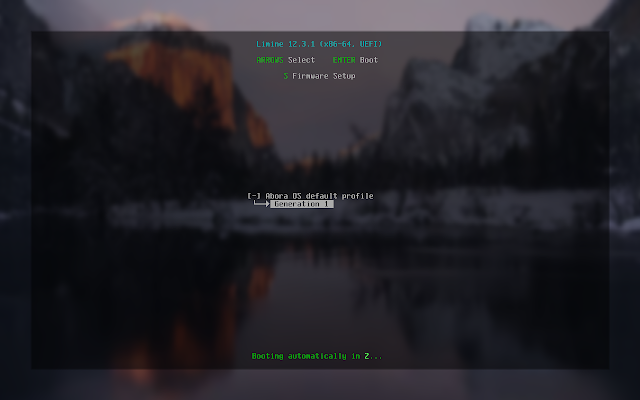
UEFI firmware initializes, NixOS boots with kernel messages, hardware is detected, and systemd takes over to start services and load your desktop environment.
Power Management
Control system power states through the desktop menu or terminal:
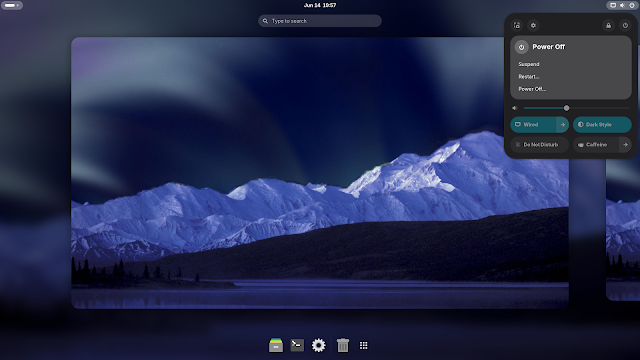
Quick access to suspend, restart, and power off. Additional options like Do Not Disturb and Caffeine mode can be toggled from the system menu.
Want to configure your system? See System Configuration.